W4: Summarising Distributions I – Central Tendency
Pick someone new to be the driver this week. They will type the code. The rest of you are navigators, you need to tell the driver where to go (i.e., what to type!).
Driver instructions:
Log in to the bigger screen at your table
Open RStudio Server. See the first drop-down in the FAQs page for instructions
Open a new .R script, and load the tidyverse package.
Listen to your navigators
Navigator instructions:
Tell your driver where to go (i.e., what to type)!
Question 1
We’re continuing to use the same dataset for the next couple of weeks (the survey that many of you completed in the first week). The data are stored at https://uoepsy.github.io/data/dapr1_2627_survey.csv (Check back to your work from the previous two weeks to remind yourself how to get the data into R).
What was the most common month in which survey respondents were born?
The variable that holds this information is the one called birthmonth. You can check what different variables are in your data by quickly using names(data), replacing “data” with whatever name you used to store your dataset in R.
# A tibble: 12 × 2
   birthmonth     n
   <chr>      <int>
 1 april          8
 2 august         9
 3 december      10
 4 february      10
 5 january       11
 6 july          12
 7 june          14
 8 march         15
 9 may           15
10 november       4
11 october       16
12 september     10
You can also arrange the counts in descending order to see the most common month at the top. To do so, pipe the output to the arrange() function, and use the desc() function to sort the counts in descending order of the column n. If you just wrote arrange(n), it would sort the counts in ascending order.
sdata |>count(birthmonth) |>arrange(desc(n))
# A tibble: 12 × 2
   birthmonth     n
   <chr>      <int>
 1 october       16
 2 march         15
 3 may           15
 4 june          14
 5 july          12
 6 january       11
 7 december      10
 8 february      10
 9 september     10
10 august         9
11 april          8
12 november       4
Question 2
One of the questions in the survey asked about how spicy people liked their food.
The possible responses were:
Anti-spice: Mayonnaise is too spicy for me; I avoid any black pepper.
Mild: I like a tiny hint of warmth, but flavour comes first.
Medium: I enjoy a solid kick that makes the meal interesting.
Hot: I want to feel the burn.
Very Hot: I want to sweat and question my life choices.
Extreme: I want to transcend mortal existence and taste the fury of a thousand suns.
This has been recoded for you already so that the dataset contains both a variable with the descriptive word (“medium”, “hot” etc), and a variable with a numeric value (1 being assigned to “anti-spice” and 6 being assigned to “extreme”).
For what level of spicy-ness does half of the sample fall above and half fall below?
Another question asked respondents to rate the quality of their sleep (from 0 to 100). On average, how well did respondents sleep? (What was the average sleep quality rating?)
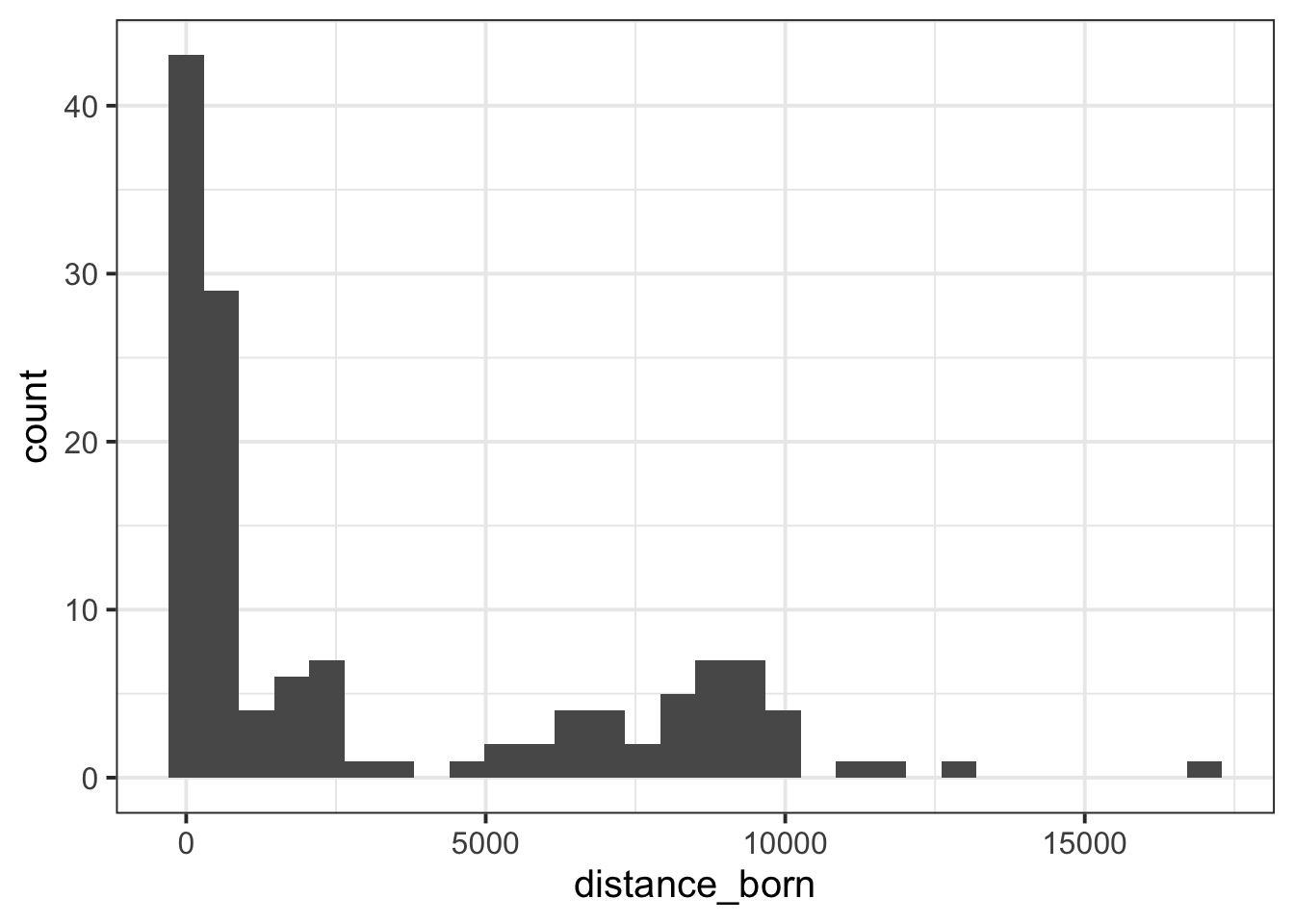
The code below creates a visualisation of the “distance-from-Edinburgh” that respondents were born (you may need to replace the sdata with whatever you named your dataset in R):
Choose any of the variables in the data that we haven’t used so far (excluding the pseudonym and threewords variables!).
Calculate an appropriate summary statistic of central tendency for your chosen variable.
Next, do the above separately for the people who responded “cat”, “dog”, “both” or “neither” to the question “Dog or Cat?” (this is the catdog variable in the dataset).
🗂️ See Measure central tendency flash card - it also covers how to calculate measures by-groups.
# A tibble: 4 × 2
  catdog  sleepqual
  <chr>       <dbl>
1 both         54.7
2 cat          54.5
3 dog          55.4
4 neither      65.5
Finishing up
Once you’ve finished, don’t forget to:
Save your R script
Post the R script to the group discussion space on Learn, to ensure that everyone has access to it! (For step-by-step instructions on how to do this, click here)