Pick someone new to be the driver this week. They will type the code. The rest of you are navigators, you need to tell the driver where to go (i.e., what to type!).
Driver instructions:
Log in to the bigger screen at your table
Open RStudio Server. See the first drop-down in the FAQs page for instructions
Open a new .R script, and load the tidyverse package.
Listen to your navigators
Navigator instructions:
Tell your driver where to go (i.e., what to type)!
Question 1
For this week, we are going to use the same data as last week (the survey that many of you completed in the first week). The data are stored at https://uoepsy.github.io/data/dapr1_2627_survey.csv
(Check back to your work from last week to remind yourself how to get the data into R).
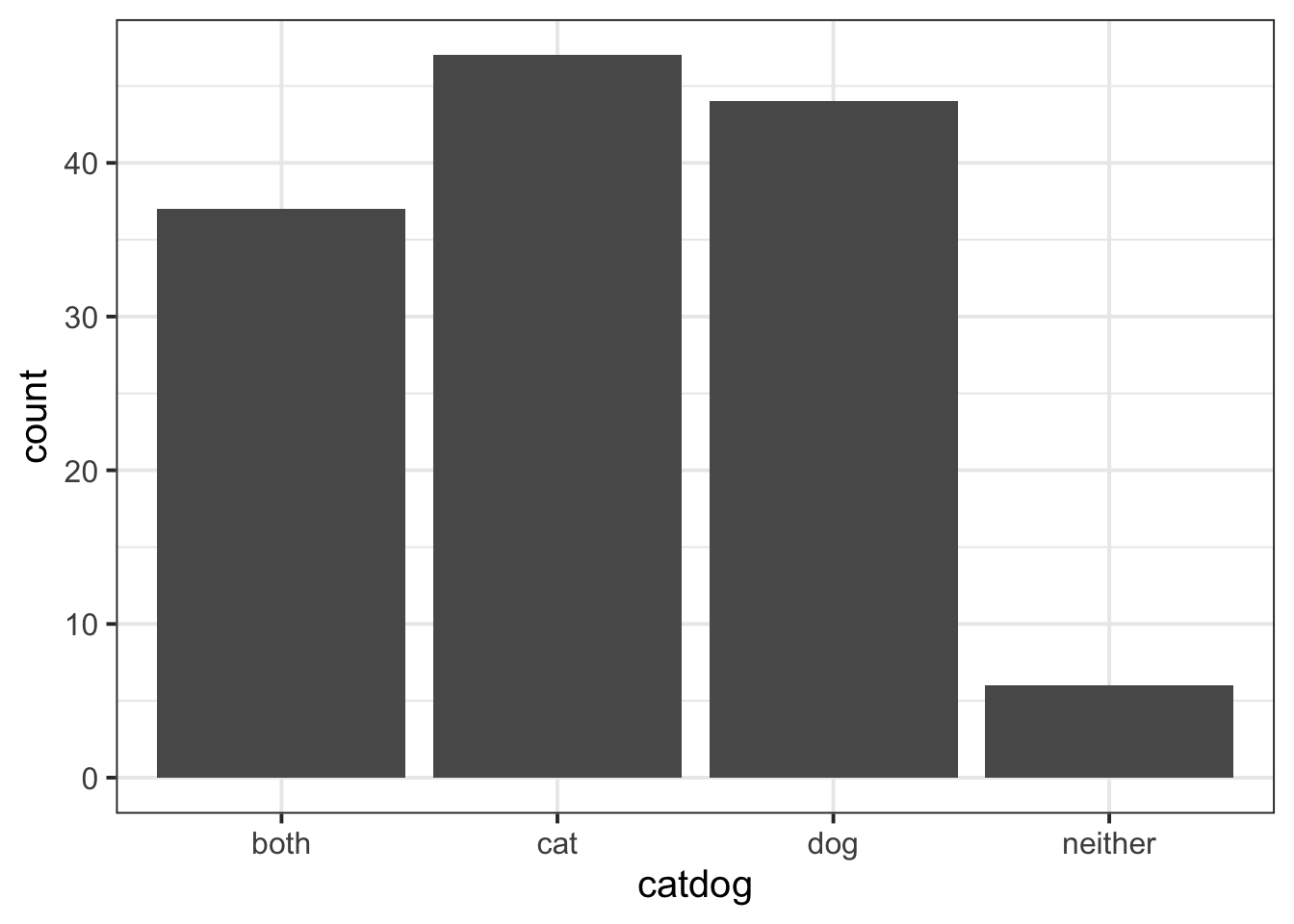
One of the questions in the survey asked people to choose between Dog and Cat (with options for “both” and “neither” as well).
Create a frequency table for this variable (catdog).
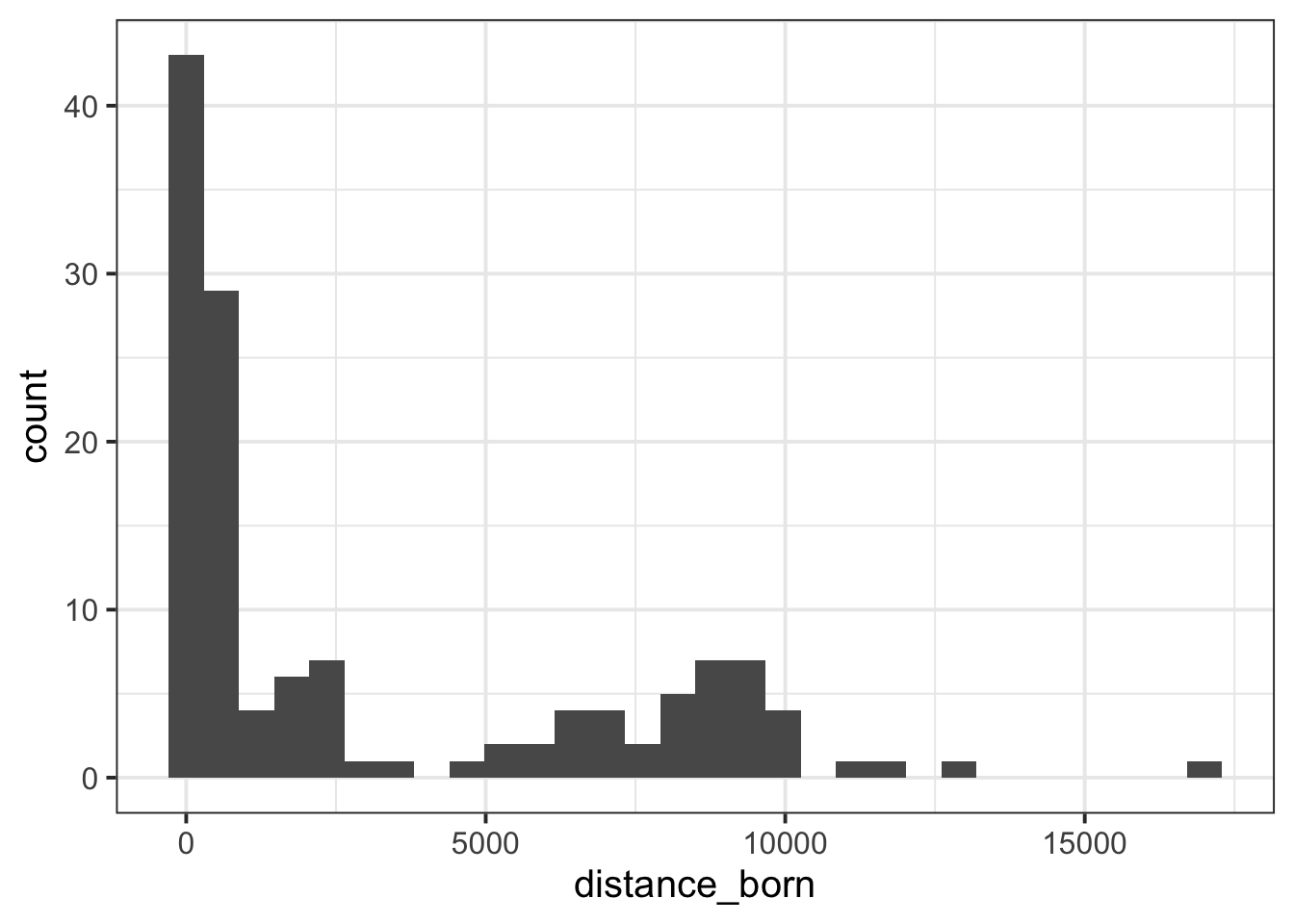
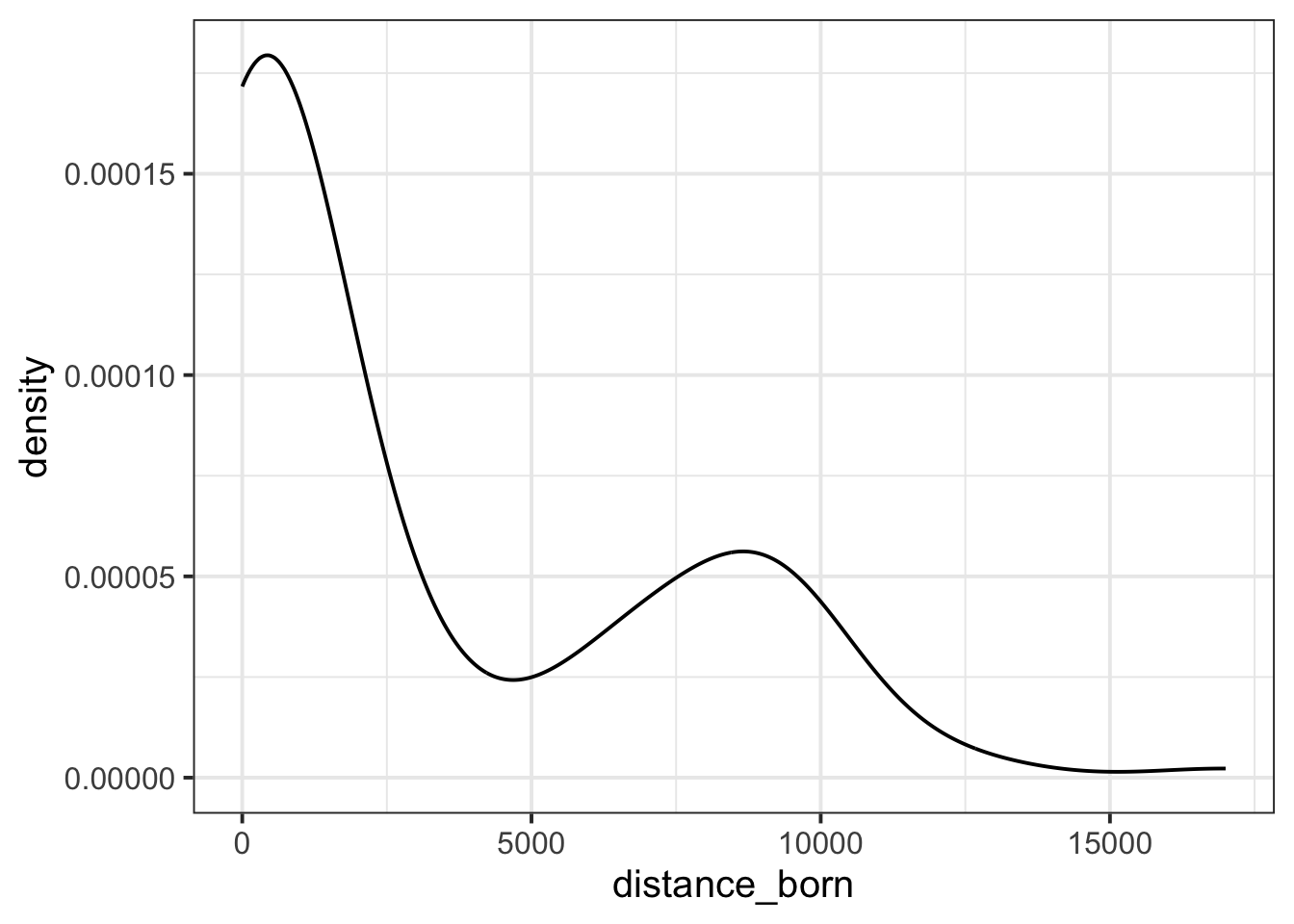
Write a few sentences commenting on the distribution of birthplace distances from Edinburgh. Specifically, make sure to comment on:
centre
spread
shape (unimodal/bimodal/multimodal)
shape (symmetric vs positive/negative skew)
Solution 5. The distribution of birthplace distances from Edinburgh is very spread out, with values spanning over 15,000 km. Most values are piled up around 0 km, suggesting that most respondents were born near Edinburgh. The shape of the distribution is bimodal, and the extended right tail shows positive skew (i.e., it is asymmetrical).
Finishing up
Once you’ve finished, don’t forget to:
Save your R script
Post the R script to the group discussion space on Learn, to ensure that everyone has access to it! (For step-by-step instructions on how to do this, click here)