We can use the tidyverse functions group_by() and count() to look for grouping variables, that is, for categorical or ordinal variables whose values appear more than once in a dataset.
For example, in a dataset on workplace pride in different departments of the UK civil service, let’s look at the variable department_name.
# A tibble: 16 x 2
# Groups:   department_name [16]
   department_name                                                       n
   <chr>                                                             <int>
 1 Charity Commission for England and Wales                             17
 2 Competition and Markets Authority                                    21
 3 Crown Prosecution Service                                            13
 4 Food Standards Agency                                                25
 5 Government Legal Department                                          17
 6 HM Revenue & Customs                                                 16
 7 National Crime Agency                                                20
 8 National Savings and Investments                                     20
 9 Office for Standards in Education, Children's Services and Skills    17
10 Office of Gas and Electricity Markets                                15
11 Office of Qualifications and Examinations Regulation                  5
12 Office of Rail and Road                                              17
13 Serious Fraud Office                                                 18
14 Supreme Court of the United Kingdom                                  13
15 UK Statistics Authority                                              45
16 Water Services Regulation Authority                                  16
Each department is associated with multiple observations. The specific number of observations is different between departments (some have 5, some have 45), but that doesn’t matter. What matters is that there are departments that are linked to more than one observation. Because the count values in the n column are greater than 1, department_name is a grouping variable.
CautionWhat if some levels have counts of 1?
Sometimes you might end up with variables where some levels appear multiple times, but other levels appear only once. Even if this is the case, the variable is still considered a grouping variable.
For example, the starwars dataset (which comes with tidyverse) tells us a bit about several Star Wars characters:
starwars |>head()
# A tibble: 6 x 14
  name      height  mass hair_color skin_color eye_color birth_year sex   gender
  <chr>      <int> <dbl> <chr>      <chr>      <chr>          <dbl> <chr> <chr>
1 Luke Sky~    172    77 blond      fair       blue            19   male  mascu~
2 C-3PO        167    75 <NA>       gold       yellow         112   none  mascu~
3 R2-D2         96    32 <NA>       white, bl~ red             33   none  mascu~
4 Darth Va~    202   136 none       white      yellow          41.9 male  mascu~
5 Leia Org~    150    49 brown      light      brown           19   fema~ femin~
6 Owen Lars    178   120 brown, gr~ light      blue            52   male  mascu~
# i 5 more variables: homeworld <chr>, species <chr>, films <list>,
#   vehicles <list>, starships <list>
In the starwars dataset, is species a grouping variable?
starwars |>group_by(species) |>count()
# A tibble: 38 x 2
# Groups:   species [38]
   species       n
   <chr>     <int>
 1 Aleena        1
 2 Besalisk      1
 3 Cerean        1
 4 Chagrian      1
 5 Clawdite      1
 6 Droid         6
 7 Dug           1
 8 Ewok          1
 9 Geonosian     1
10 Gungan        3
# i 28 more rows
Yes, species is a grouping variable, because at least some levels of species group together more than one item (e.g., the dataset contains six droids, three Gungans).
Note: Counting how many times each level of the variable appears will only work if data is “tidy”. All the data that we’ll use in DAPR3 is tidy, so for this course, the method will always work.
It’s very likely that when you gather data yourself, it will be messy in one way or another.
Before you can plot and analyse your data, you’ll need to tidy it.
Check out tidyr’s Tidy data vignette. It walks you through five common ways in which data can be messy and how to fix each one. (The relig_income example from the rabbit hole above is from that vignette!)
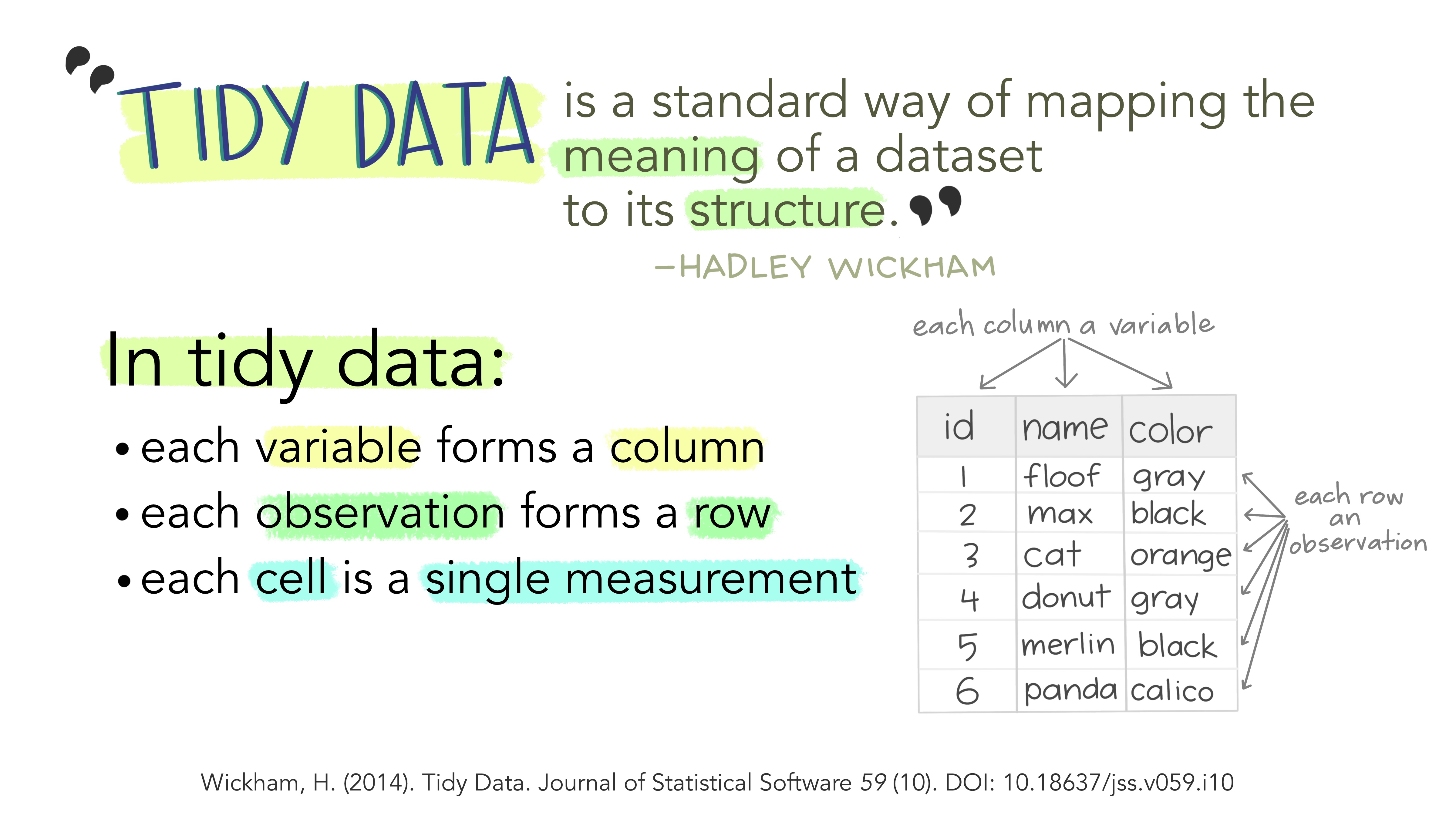 Graphic by